OpenIM SDKs
Choose an OpenIM SDK for your stack
Use OpenIM SDKs to add chat, messaging, voice, and video to web, mobile, desktop, and cross-platform apps.
OpenIM provides docs, sample projects, and integration resources so developers can start building communication products faster.
SDK Overview
Choose the communication layer you need
Choose resources for messages, conversations, groups, video meetings, and Server APIs based on your product stage.
Build messages, conversations, and groups
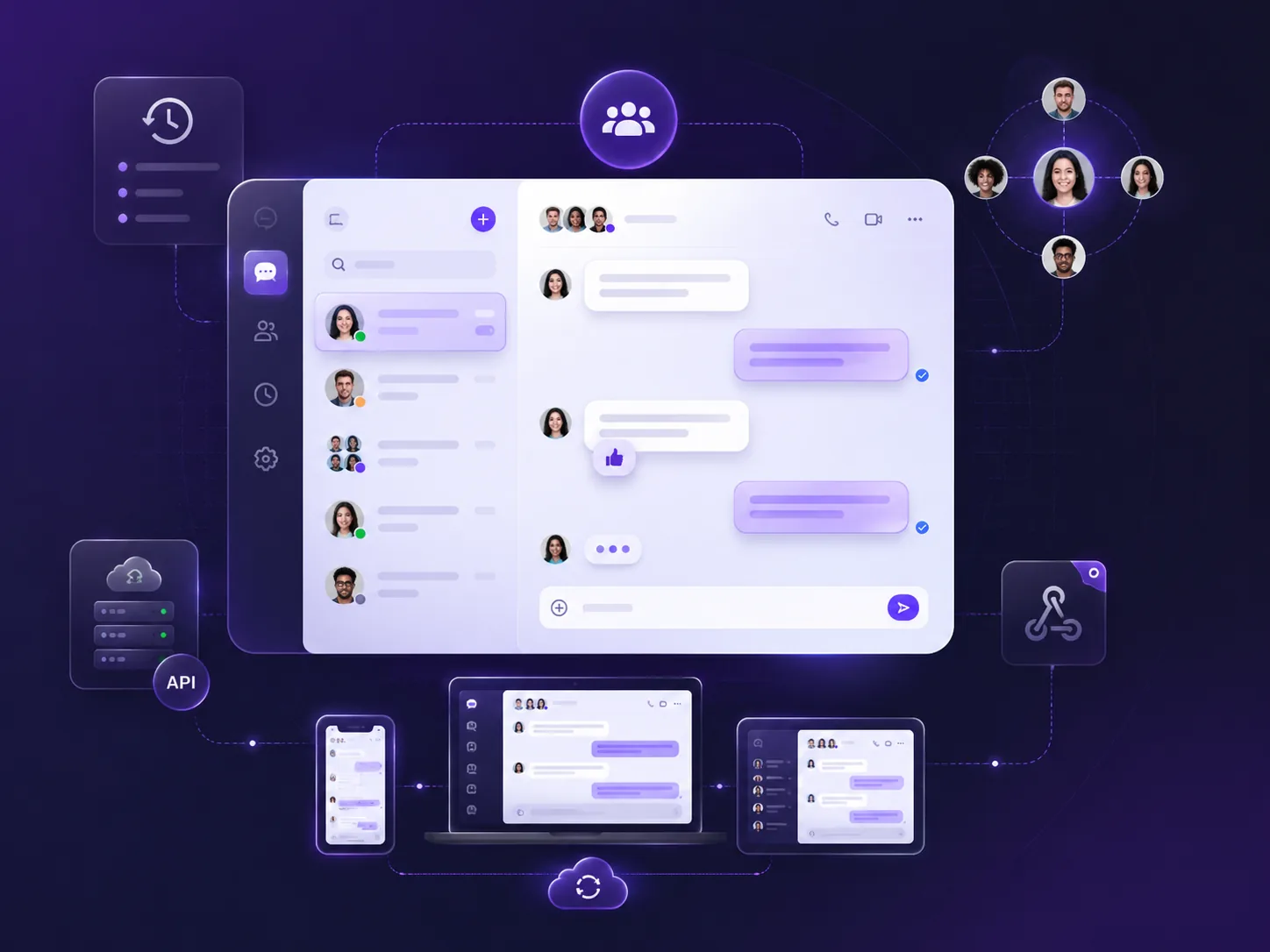
Use Chat SDKs to add 1:1 chat, groups, conversation lists, friends, history, and multi-device sync.
10+client platforms
Server APIserver management
Webhookevent callbacks
Add voice, video, and meetings
Explore voice calls, video calls, group voice & video, and video meetings, then contact OpenIM for the right integration plan.
- Voice calls
- Video calls
- Video meetings
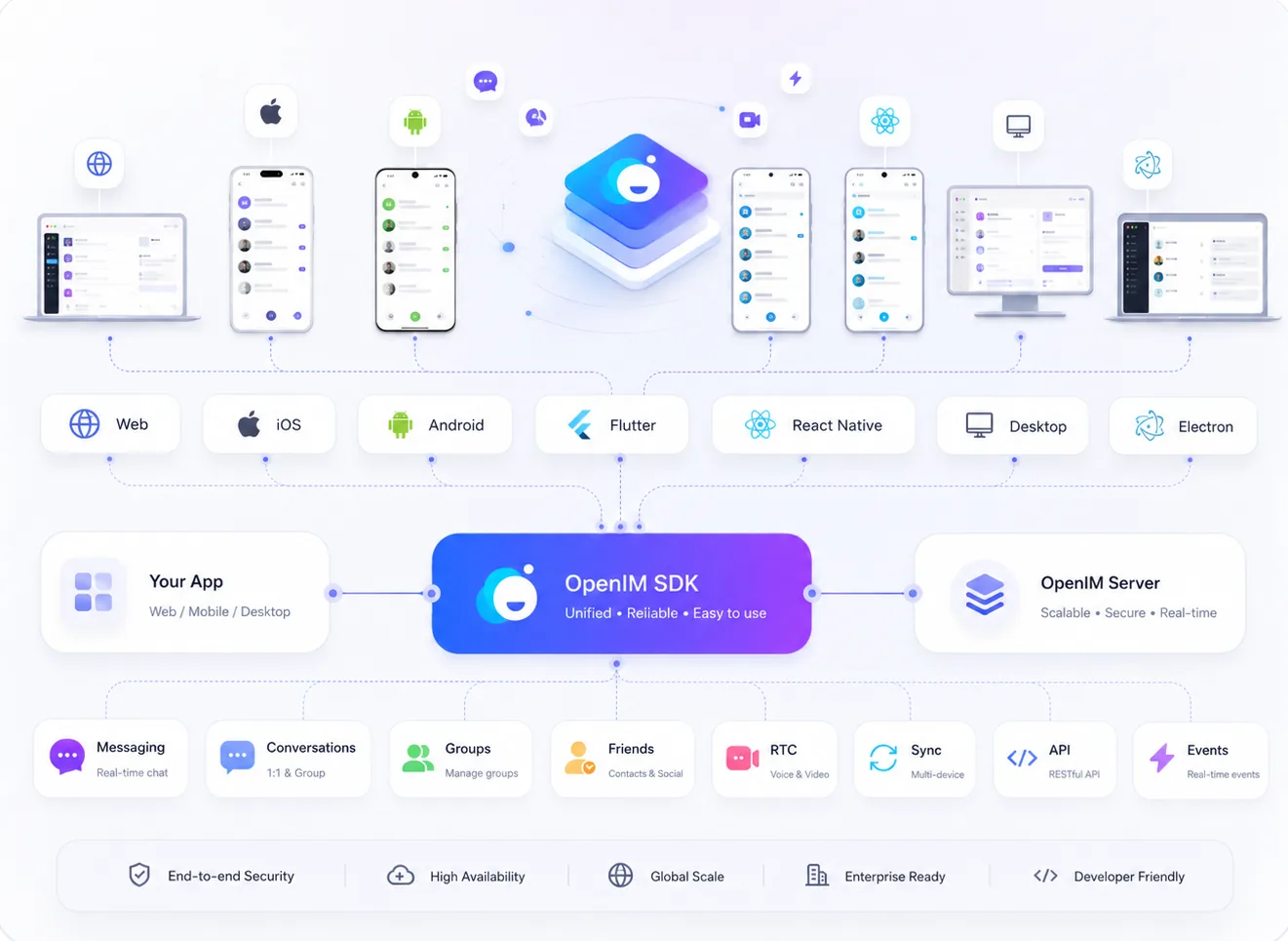
Connect clients, OpenIM Server, and your backend
Use Client SDKs for end-user sessions, and use Server APIs and webhooks to connect accounts, permissions, events, and admin systems.
Choose a stack
OpenIM client SDK ecosystem
Covers web, mobile, desktop, and cross-platform frameworks. Use Chat SDK docs and repos directly; contact OpenIM for Voice & Video integration.
iOS SDK
Use the OpenIM iOS SDK to add messages, conversations, groups, and friends to native iOS apps.
Android SDK
Use the OpenIM Android SDK to build chat and messaging in Android apps.
JavaScript SDK
Add messages, conversations, and groups to web apps built with React, Vue, Angular, or other frameworks.
Flutter SDK
Use Flutter to build cross-platform chat and messaging for mobile apps.
React Native SDK
Add OpenIM messages, conversations, and groups to React Native apps.
uni-app SDK
Add chat and messaging to uni-app projects for lightweight multi-platform apps.
Electron SDK
Add OpenIM communication to desktop apps, collaboration tools, and enterprise clients.
C / C++ SDK
Use OpenIM core communication features in native desktop, embedded, and custom clients.
Unity SDK
Add messaging to Unity apps for interactive communication scenarios.
Build path
From open source to production
Choose open source resources, SDK integration, production-ready clients, and commercial support by product stage.
Open Source
Use OpenIM Server, Chat IMSDK, open-source demos, and basic developer resources.
Client SDKs
Use multi-platform SDKs for messages, conversations, groups, and multi-device sync.
Production Apps
Get production-ready client apps and advanced messaging features.
Commercial Support
Get consulting, integration, licensing, and launch support.
Start building
Choose the right OpenIM SDK
Use docs and sample projects to start adding chat, voice, and video to your app.
FAQ
FAQ
Which SDKs does OpenIM provide?
OpenIM provides client SDK resources for Web, iOS, Android, Flutter, React Native, uni-app, Electron, C / C++, and Unity.
What is the difference between Chat SDKs and Voice & Video?
Chat SDKs cover messages, conversations, groups, and friends. Voice & Video covers voice calls, video calls, group voice & video, and video meetings.
Does IMSDK include chat UI?
IMSDK provides communication features and developer APIs, but not a full chat UI. Use the open-source demo or explore production-ready client apps when you need a full client.
Where can I find sample projects?
Use the Open Source page or the GitHub example links in each SDK card.
How do I connect OpenIM Server to my backend?
Clients connect to OpenIM Server through Client SDKs. Your backend can use Server APIs and webhooks to manage users, groups, messages, and event callbacks.